
How do I download a report of my message logs?
You can export a log report of messages sent and received by completing the following steps:
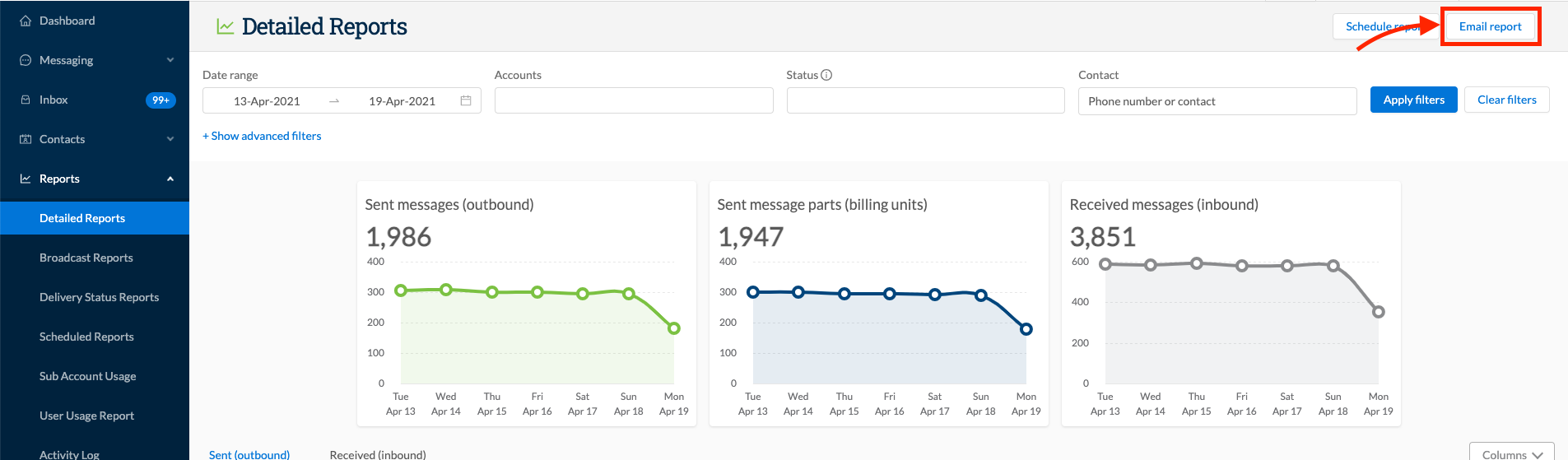
- Go to Reports > Detailed Reports
- Select the relevant date range by clicking on the start & end dates
- Click on the “Email Report” button - this will only appear if there is data available for the date range specified:
- Insert up to 5 email addresses. Click enter after each email address to validate. If an email address is deemed incorrect, it will be denoted by a red background and you have the ability to remove and retype the email address. The Add my email button will insert the email address of the current user profile:
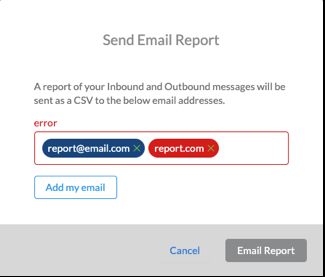
Click Email Report. Outbound and inbound logs are generated separately so if you have data in each table you will receive two separate emails with a CSV file in each