
Deleting a contact group
If you no longer need to send to a selection of contacts that you have grouped together you can choose to delete the group.
Note: Deleting a contact group will not remove the contacts within that group.
Steps to delete a Contact Group:
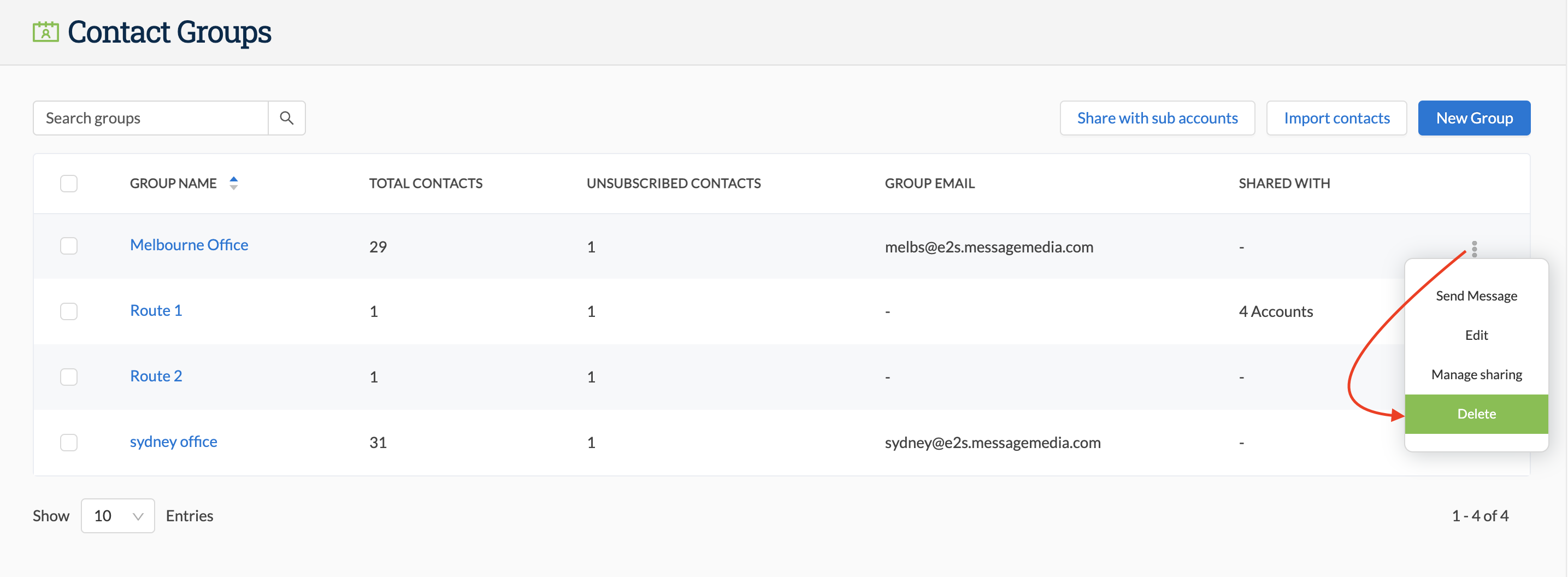
- Go to Contacts > Contact Groups
- Search for the group that you would like to delete
- Click on the ellipsis (three dots) at the end of the row and select Delete from the menu
- You will be prompted to confirm the deletion - this cannot be undone
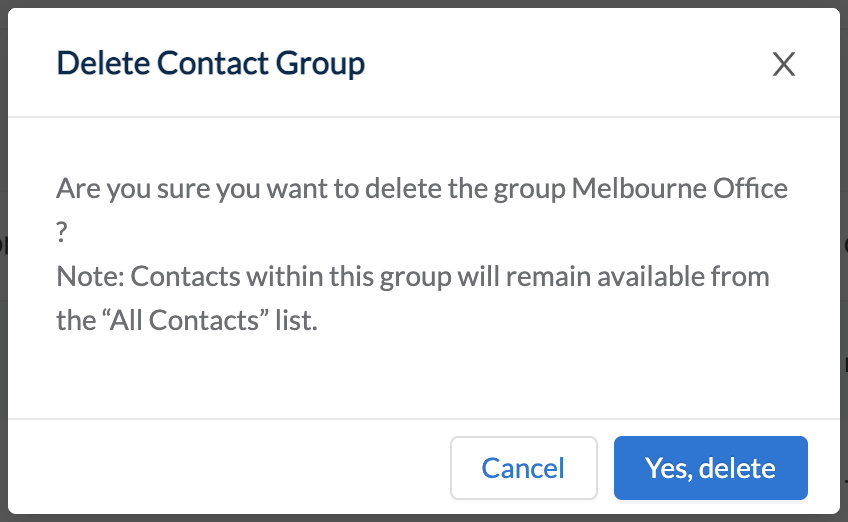
- Selecting Yes, delete will confirm the deletion and close the confirmation